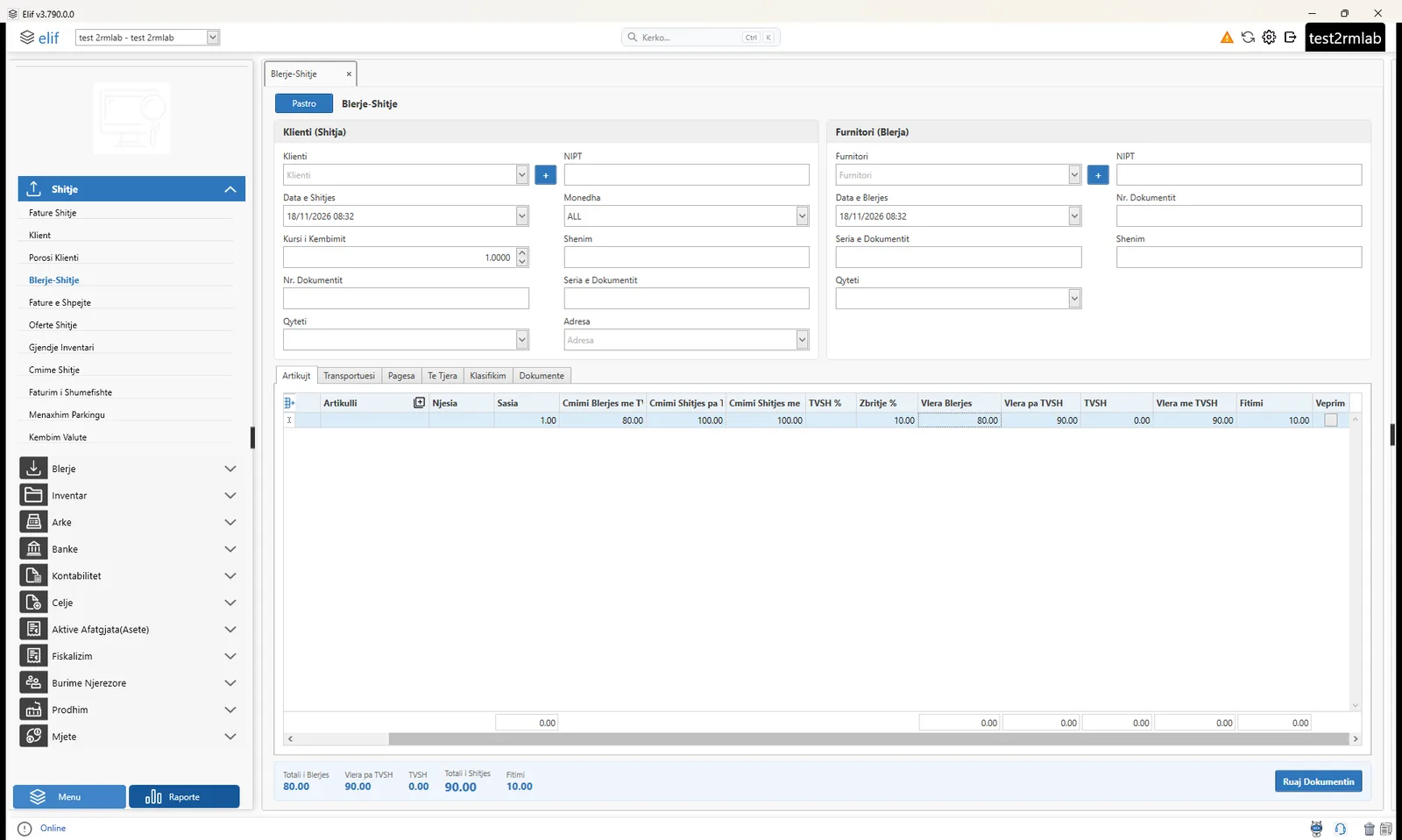
How it used to be
- Takes time: two separate documents for the same service.
- Raises the chance of mistakes in manual entry.
- Makes it hard to link the purchase to the sale.
- Makes it hard to check the profit of each transaction.
ElifWeb · Menu › Sales › Purchase / Sale
Elif fiscalization software creates the purchase invoice from the supplier, the sale invoice for the customer and the payments of each party from one entry. No double entry, fewer mistakes, and the profit of every transaction in plain sight.
For travel agencies that buy tickets, hotels and packages from suppliers and sell them to the customer.
The problem
Travel agencies have to create, for every transaction, a purchase invoice from the supplier and a sale invoice for the customer.
What it offers
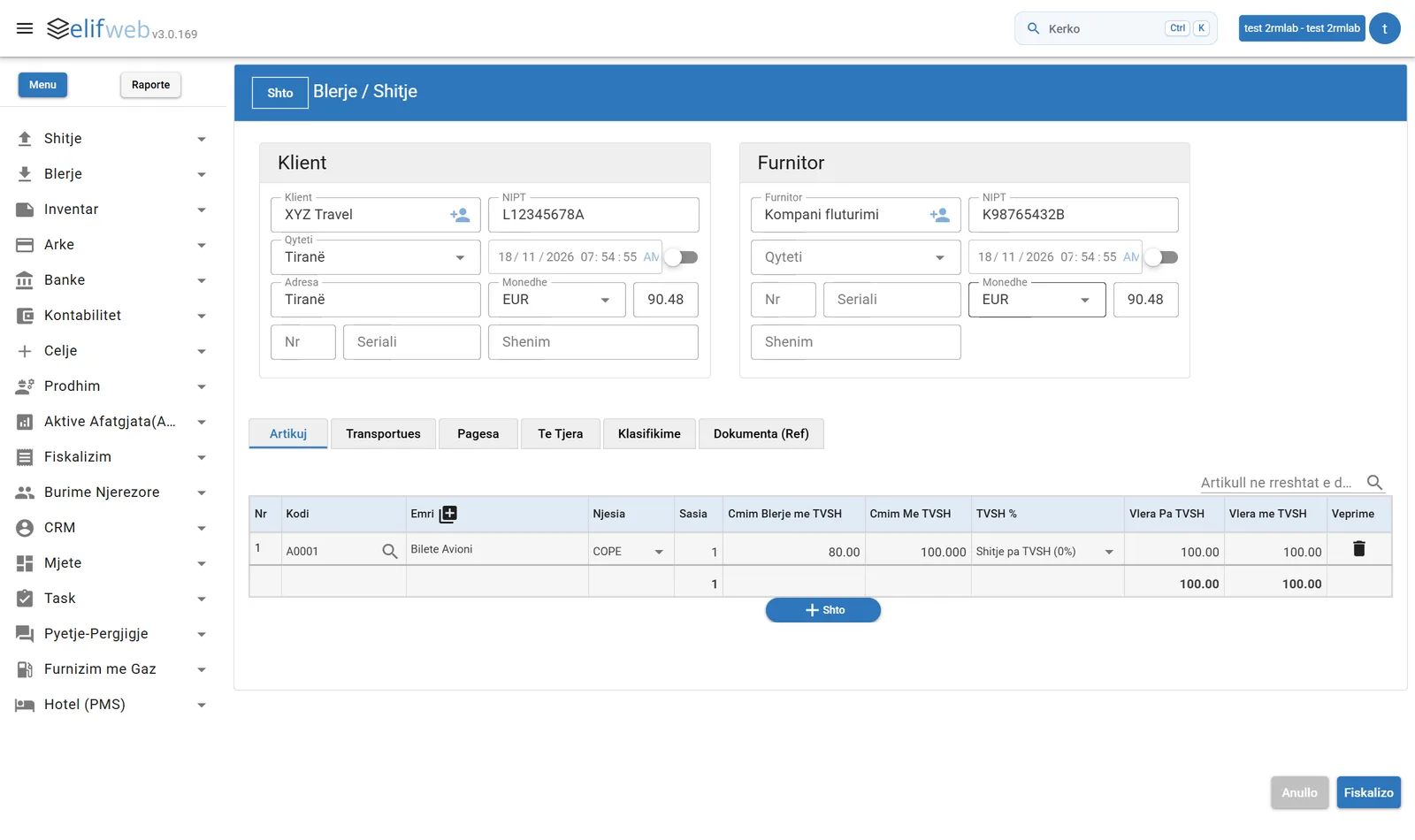
Customer, supplier and items are filled in once. The system creates the purchase invoice and the sale invoice.
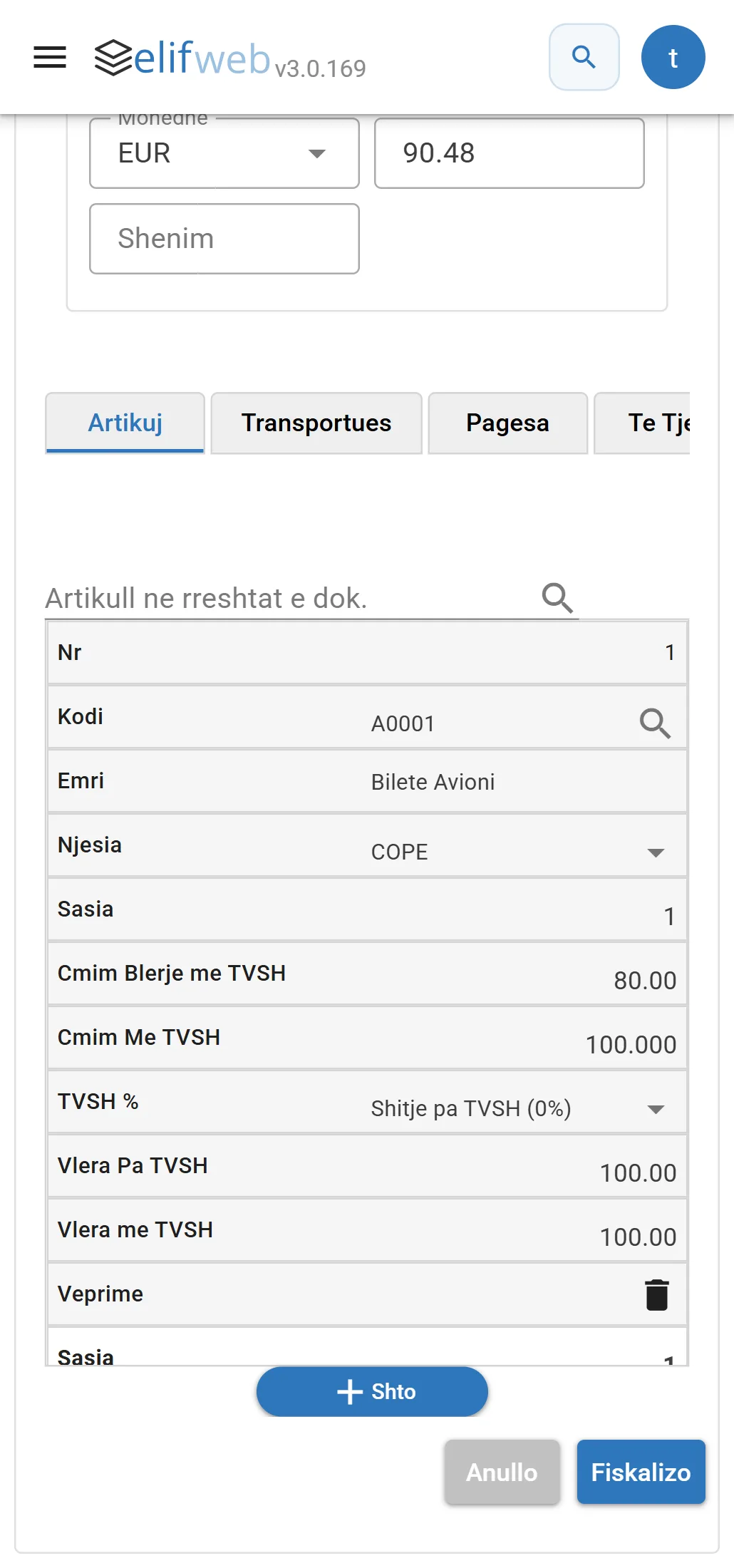
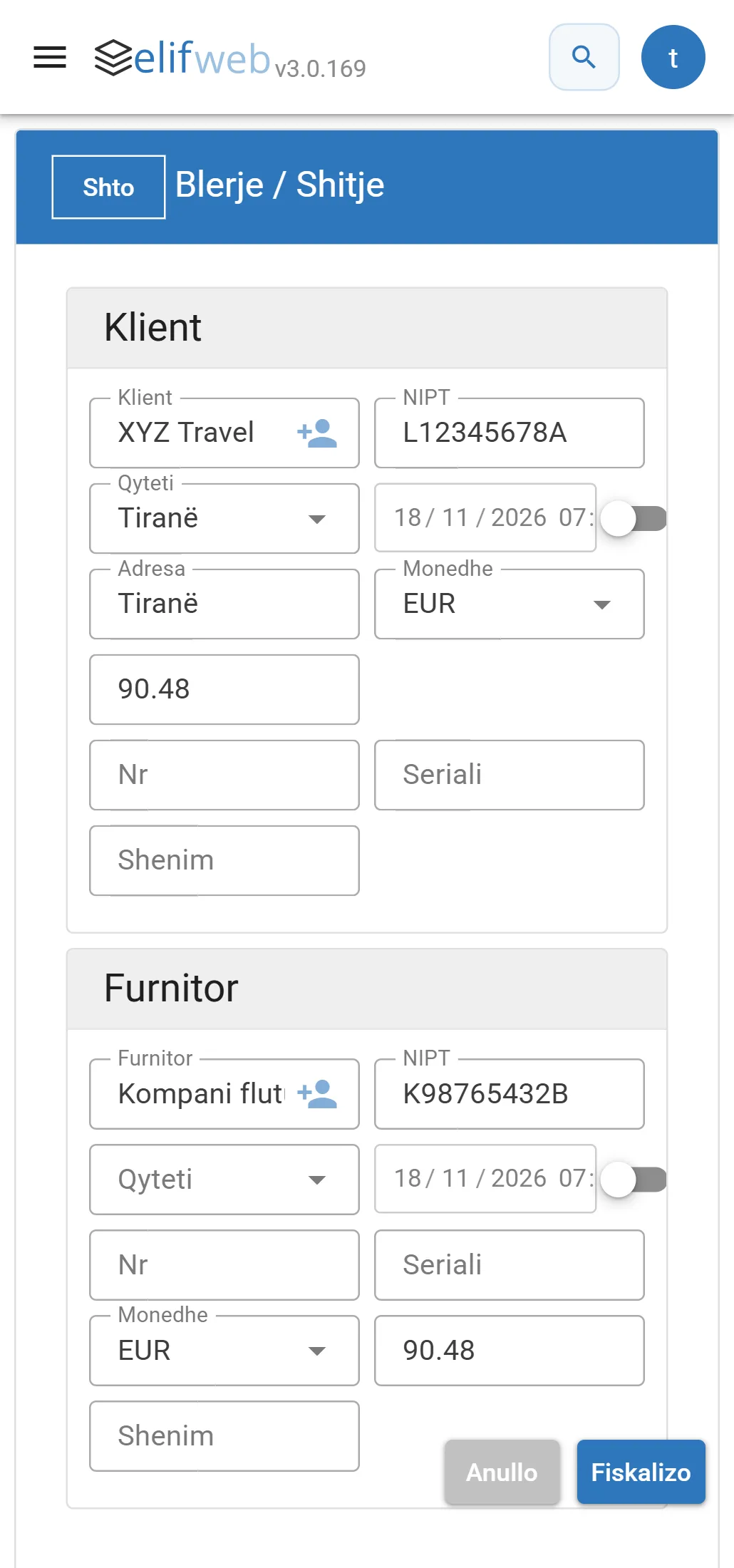
ElifWeb opens in your phone's browser, and the form adapts to the screen.
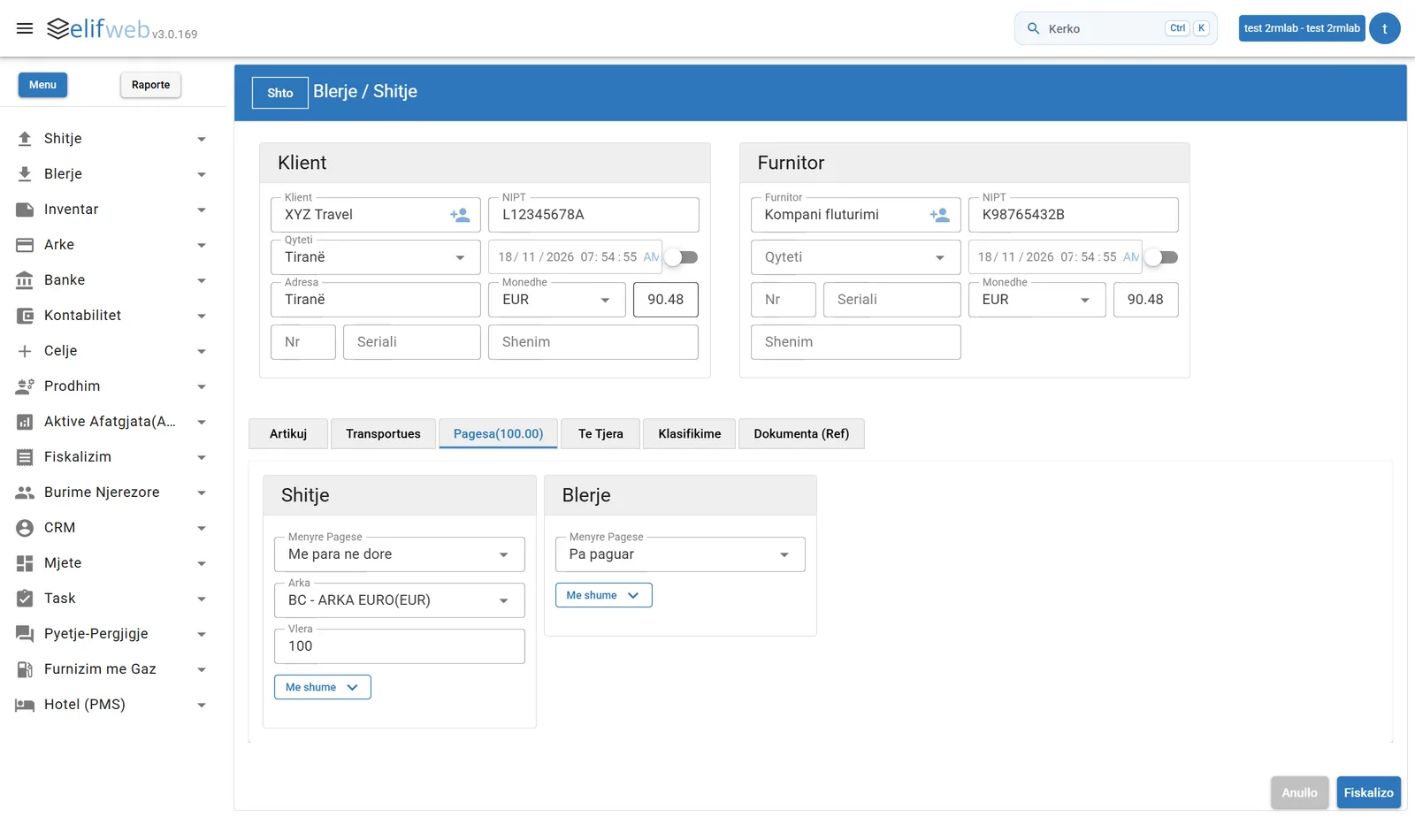
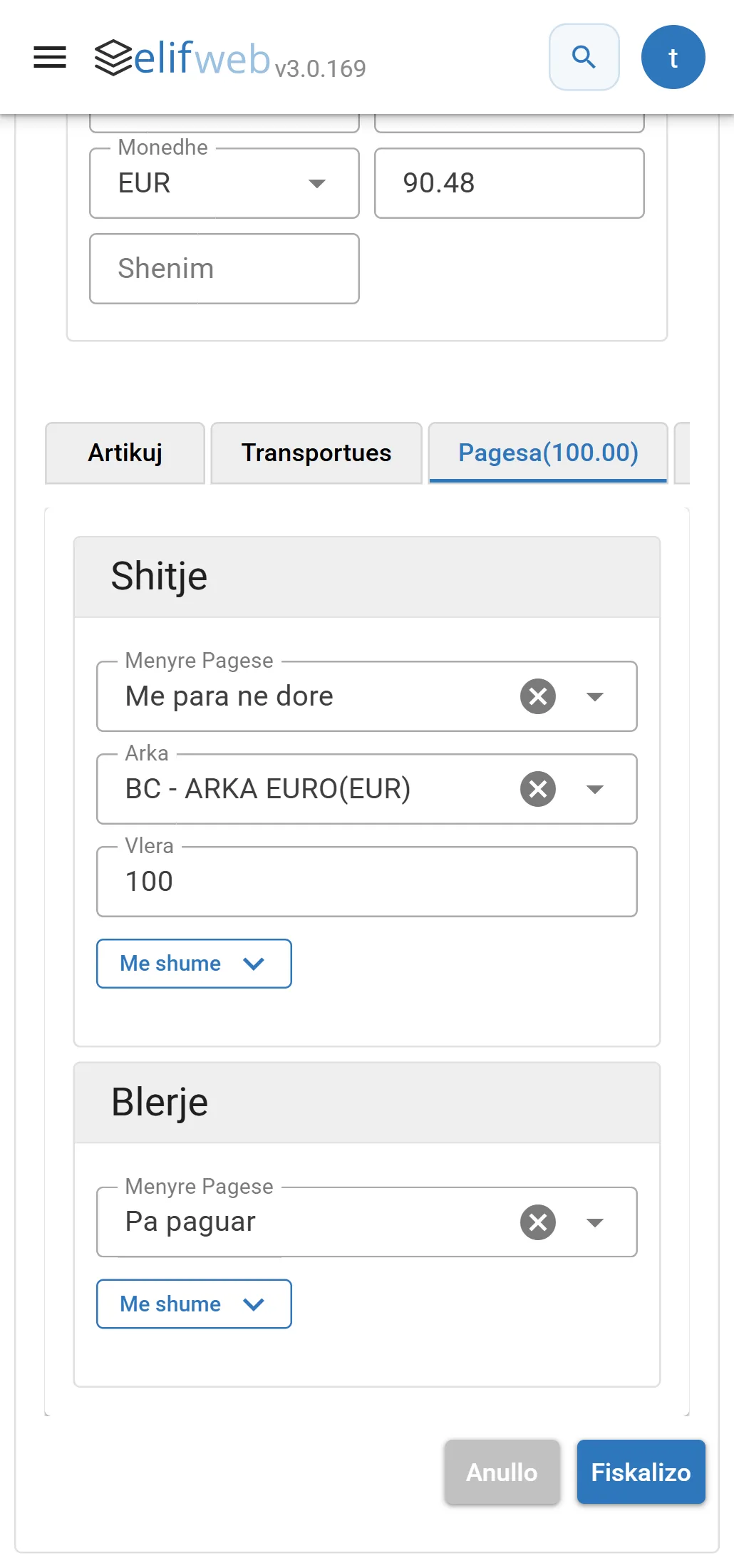
The customer pays one way, the supplier is paid another, with multiple payments if needed.
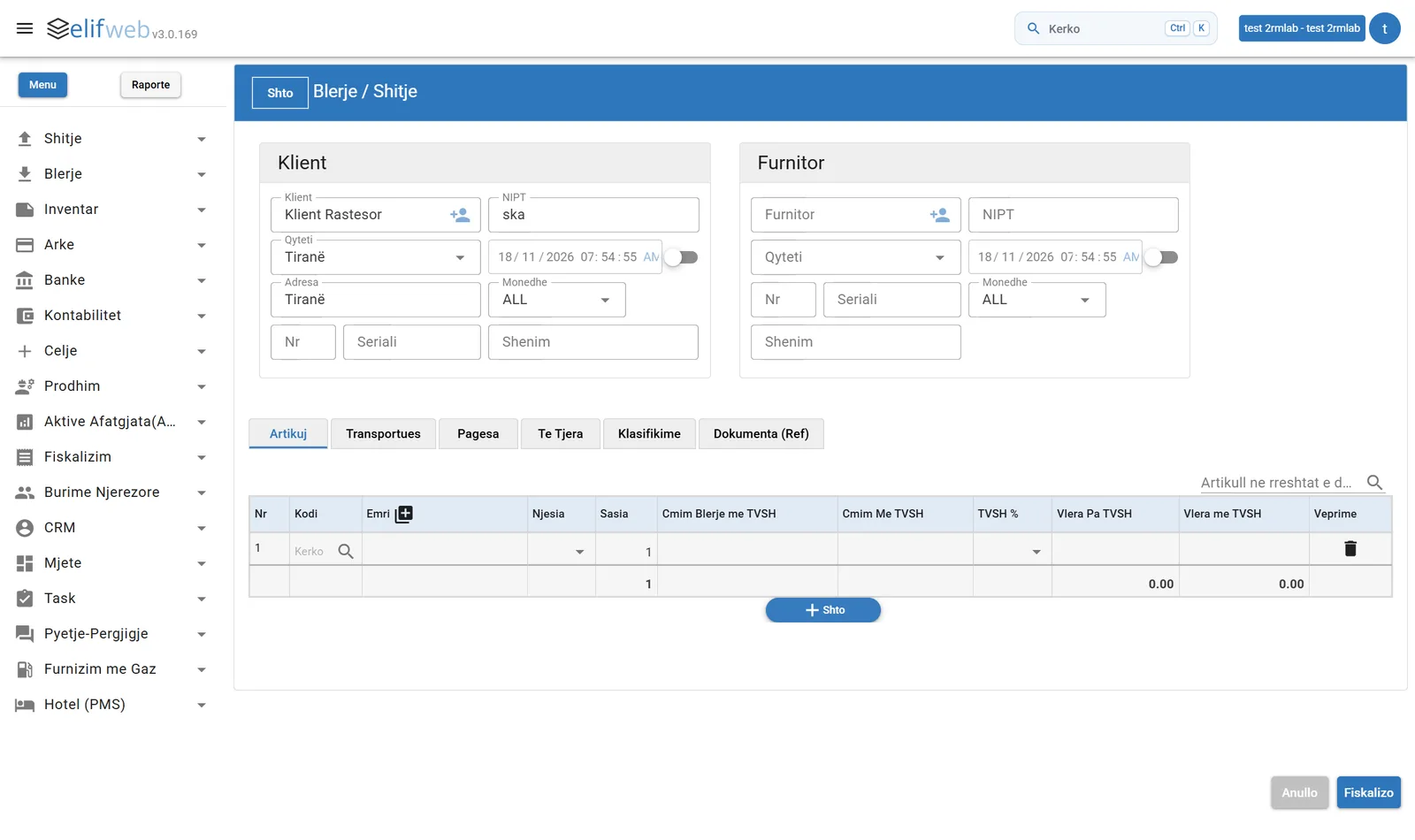
The system creates both documents from the same entry and keeps the link between the purchase invoice and the sale invoice.
Web and Desktop
The Purchase / Sale form is in both versions, with the same fields and the same result: two linked documents from one entry.
How it works
Fill in the customer who gets the sale invoice: name, tax ID, city, address, date and currency.
Fill in the supplier the product or service is bought from, with the number of their document.
The item is entered once, with quantity, unit, purchase price, sale price and VAT.
For the sale and for the purchase, the payment method, the cash register or bank and the amount are chosen separately.
Result: the purchase invoice, the sale invoice and the payments of each party, recorded in a single action.
Practical example
A travel agency books a ticket that costs 80 EUR and sells it to the customer for 100 EUR.
The system creates both documents automatically and keeps the link between them.
Travel agencies
The agency buys the ticket, hotel or package from a supplier and sells it to the customer at its own price. With purchase and sale in 1 form in Elif, that takes one entry and one fiscalization instead of two separate documents.
On a phone
ElifWeb opens in your phone's browser. The customer and supplier cards stack one under the other and the items appear as cards that are easy to fill in.
Who it's for
The form is built around how a travel agency works: it buys from the supplier and sells to the customer.
Benefits
Frequently asked questions
It is the Purchase / Sale form of ElifWeb: one entry creates the purchase invoice from the supplier, the sale invoice for the customer and the payments of each party, linked to each other.
Elif is invoicing and fiscalization software, and the Purchase / Sale form suits travel agencies and tour operators, because tickets, hotels and packages are bought from a supplier and resold to the customer. To set it up for your business, request a demo.
Fill in the customer, the supplier, the items and the payments, then press Fiskalizo at the bottom of the form. The system creates both documents from this one entry.
In ElifWeb, under Menu › Sales › Purchase / Sale.
The sale invoice for the customer, the purchase invoice from the supplier and the payments for each party. The system keeps the link between the two documents.
No. The item is entered only once. Its quantity, unit, purchase price, sale price and VAT are set, and the system creates both invoices from them.
Yes. On the Payments tab the payment method is chosen separately for the sale and for the purchase, with the option of multiple payments.
The purchase price and the sale price are in the same form, so the difference between them is visible at once. In the plane ticket example: cost 80 EUR, sale 100 EUR.
Yes, ElifWeb opens in your phone's browser and the form adapts to the screen. Try it in the Live demo, with the “Phone” view.